
I've owned a touchscreen laptop. The first week, I touched everything. By the second month, I'd forgotten the screen could be touched at all. The only reminders were fingerprints in the corner and the feeling that part of my laptop was using power for something I never used. So when Apple announced its first touchscreen Mac on 28 October, I wasn't excited. I've been here before.
To be fair, though, the touchscreen is the least interesting part of this laptop.
What's new
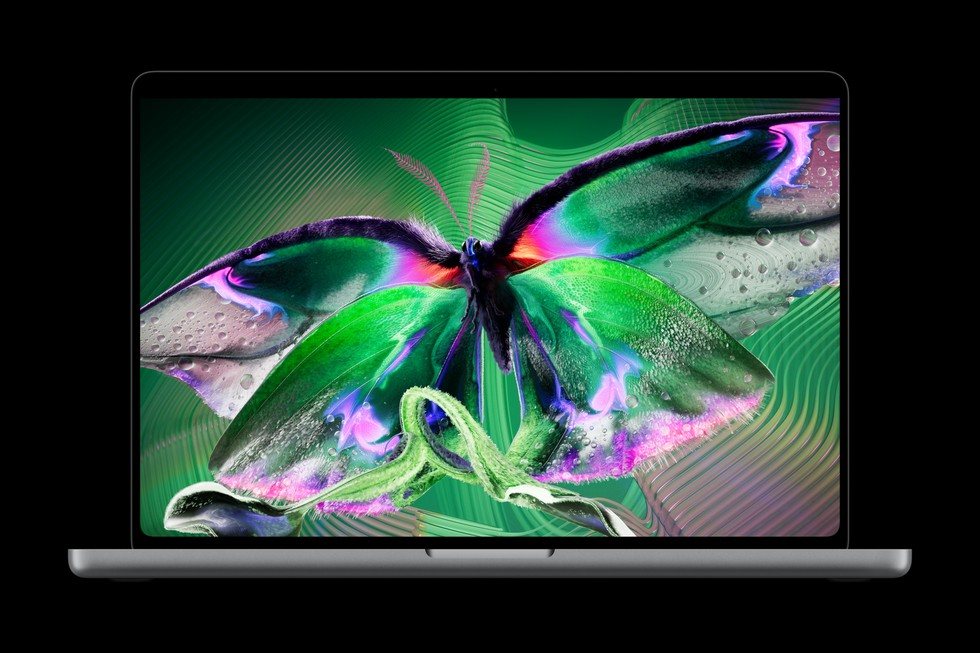
The new MacBook Pro comes in 14-inch and 16-inch sizes. The big change is the screen: Apple calls it PROLED XDR, and it's an OLED screen that Apple says reaches 2,000 nits at its brightest and refreshes up to 120 times a second. It's also lighter. The 14-inch weighs 3 pounds, half a pound less than before, and the 16-inch weighs 4 pounds, 0.7 of a pound less.
It runs on the M5 Pro or M5 Max chip, and Apple says the battery lasts up to 24 hours. The notch is now a Dynamic Island, like on the iPhone. It still has Touch ID, still no Face ID, and it keeps the ports people need: three Thunderbolt 5, HDMI, an SD card slot, MagSafe and a headphone jack. The 14-inch starts at $2,899, the 16-inch at $3,399, and both arrive in stores on 6 November. I haven't used one yet.
What I like
The screen. This is the real upgrade. OLED means true black, strong contrast and bright colour. If you stare at your laptop all day, you'll notice this every day.
The weight. Half a pound doesn't sound like much. But if you carry your laptop every day, a lighter one is one you actually take with you.
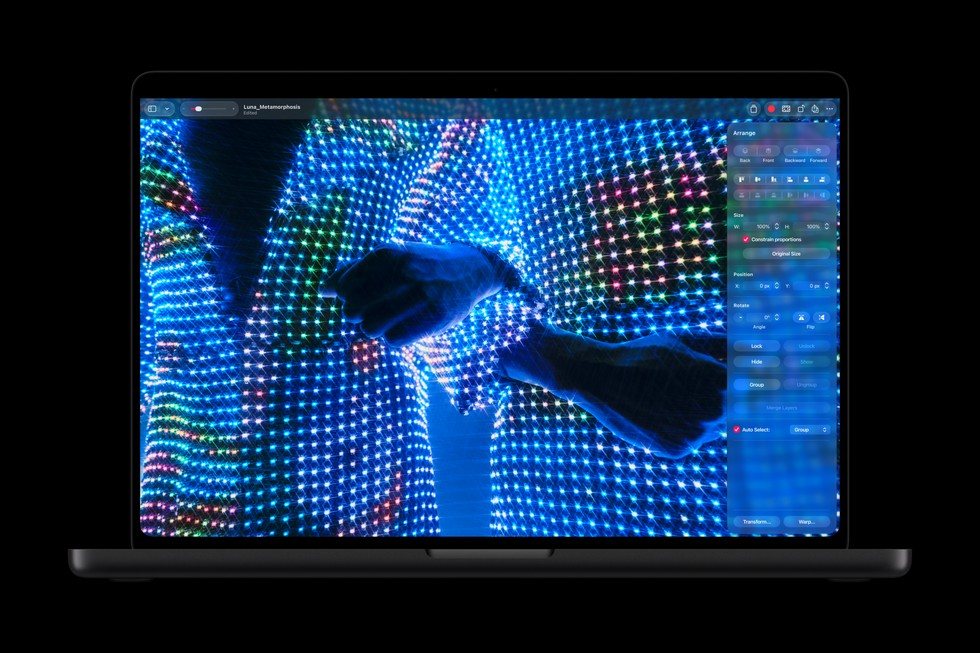
Touch is optional. Apple didn't turn the Mac into an iPad. A tap on the screen works like a click, so every app works with touch from day one, and the keyboard and trackpad stay exactly the same. You can ignore touch completely and lose nothing.
When touch is actually useful
Apple's own examples are good ones: playing an on-screen keyboard and drum pads in Logic Pro, zooming into a video edit in Final Cut Pro, editing a photo directly on the screen, and app developers testing how their iPhone apps feel under a real finger. If that's your daily work, you might use touch every day.
For everyone else, I think it goes the way it went for me. You try it a few times, show a friend, scroll a web page with your finger, and then your hands go back to the keyboard and trackpad. They're closer.
What I don't like
You have to reach. The screen stands up straight. Every touch means lifting your hand off the keyboard and reaching forward, to do something the trackpad does right under your thumb. Fine once or twice. Tiring after that, which is why people stop.
Fingerprints. A beautiful screen and greasy fingers don't mix. You'll be wiping this screen a lot.
Battery for a feature I don't use. On my old touchscreen laptop, it always felt like the touch layer was using battery for nothing. Apple says this model gets the same 24 hours as the cheaper M6 MacBook Pro without touch, so maybe it costs nothing here. I'll believe it when someone tests it on a normal workday.
You can't get touch on the cheaper model. The $1,999 MacBook Pro with the new M6 chip doesn't have it. So you're not paying for touch. You're paying $2,899 for a laptop that happens to include it.
My verdict
This might be the best MacBook Pro Apple has made, and the touchscreen isn't the reason. Buy it for the OLED screen and the lighter body if those matter to you, and use touch when it helps. If touch is the main reason you want it, my experience says you'll stop using it within a month. That isn't worth $2,899. If the screen and the weight don't excite you, the $1,999 M6 model is the better buy.
Specs, weights and prices are from Apple's announcement of 28 October 2026. The opinion on living with a touchscreen laptop is ours. We haven't used the new MacBook Pro yet; it's in stores from 6 November. Photos: Apple.