
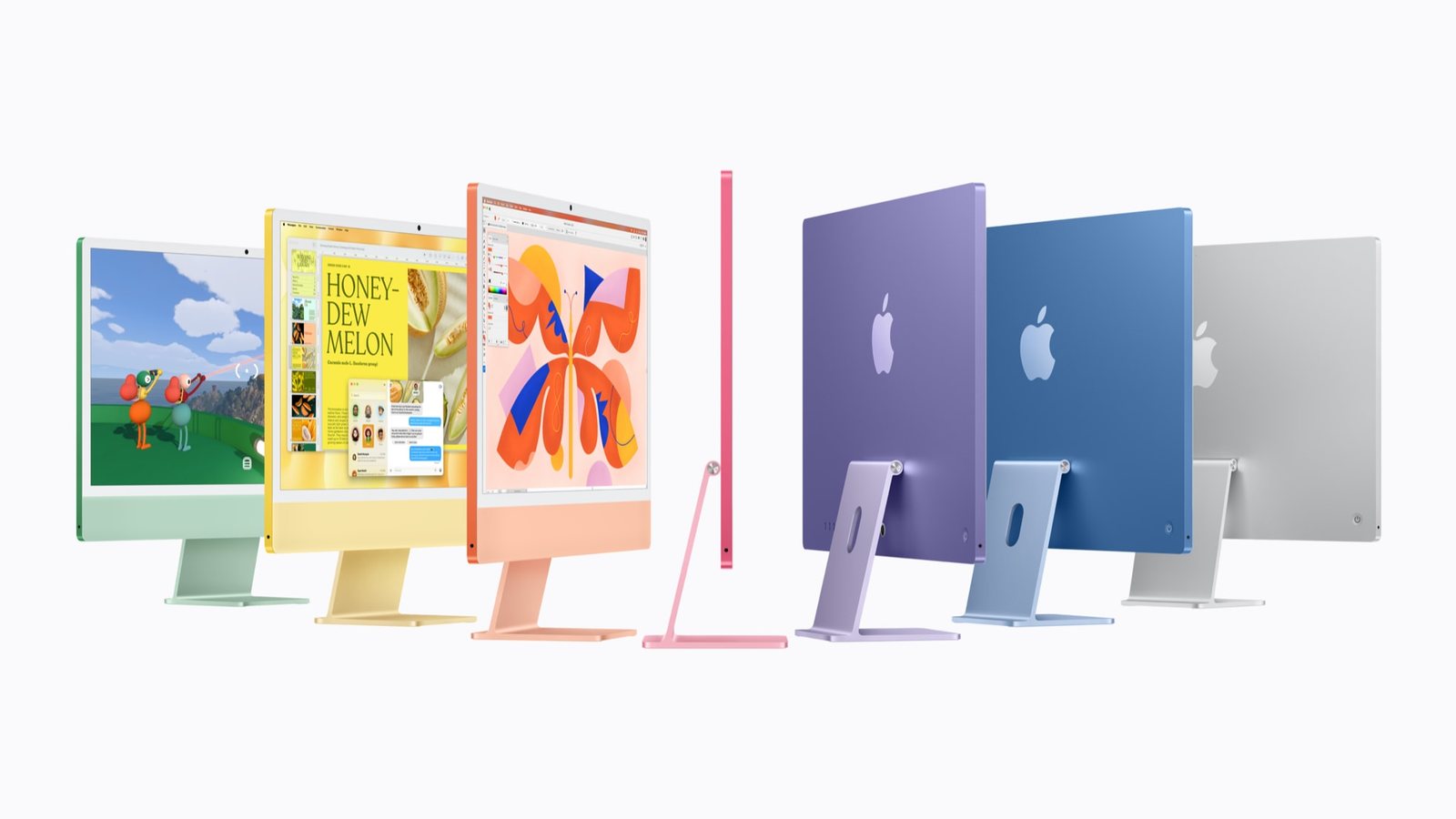
With an iMac, you can't just upgrade the computer. You have to replace the screen too. The new iMac with M6 has a faster chip, faster Wi-Fi and a better camera, but the same 24-inch screen the iMac has had since 2021. If you're happy with your iMac's screen and just want it faster, that's fine. If the screen is what you wanted changed, this isn't for you.
Apple announced it on 27 October, the day before the touchscreen MacBook Pro took all the attention. That's a shame, because this is still the simplest good computer Apple sells. I haven't used the new one yet.
What's new
It has the new M6 chip, Wi-Fi 7, Bluetooth 6, up to four Thunderbolt ports, and it can run up to two 6K monitors. The camera is now 12MP and keeps you in the frame on calls, and it can also show your desk from above. You can add an Ethernet port. It comes in seven colours: blue, green, pink, yellow, purple, orange and silver. It starts at $1,499, or $1,699 for the faster version, and it went on sale in stores on 6 November.
What hasn't changed is the screen: 24 inches, 4.5K, 500 nits. No OLED, no touch, no bigger size.
What I like
It's still the easiest Mac for anyone. One box, one power cable, a good screen, good speakers and a camera. Plug it in and you're done. For a family computer or someone who doesn't want to think about tech, that's the whole point.
The colours. They're a bit fun and I like them. A computer that sits in a kitchen or living room should look like it belongs there, and these do.
The camera and Wi-Fi. Staying in the frame on calls and faster Wi-Fi are small things, but you'll use them every day.

What I don't like
The same screen, five years later. It was a great screen in 2021 and it's still a good one. But Apple just put OLED in a laptop and left its family computer at 500 nits. If you wanted a bigger or brighter iMac, this isn't it.
You can't add memory later. Whatever you buy on day one is what you keep. Get more memory now so you don't regret it later.
The cheapest model may have fewer ports. Apple says "up to four" Thunderbolt ports, which means the top model. On older iMacs, the cheapest one had fewer. Count the things you plug in today before buying the base model.
Should you upgrade?
Here's a quick way to check. On your Mac, click the Apple menu and choose About This Mac to see your chip and memory. Then open Activity Monitor, click Memory, and look at the Memory Pressure graph during a busy day. If it stays green, your Mac isn't running out of memory, and a new chip might not feel very different.
If you have an old Intel iMac, or you've never had a desktop Mac, this is an easy yes. If you already have an Apple silicon iMac from the last few years and it works fine, keep it and wait for an iMac with a new screen.
My verdict
A faster chip in the same iMac. Great if you're buying your first desktop Mac or replacing an Intel one. Not needed if your recent iMac still feels fine. The iMac doesn't have to be exciting to be good, but I hope the next one finally gets a new screen.
Specs and prices are from Apple's announcement of 27 October 2026. The opinions are ours. We haven't used the M6 iMac ourselves yet; it went on sale on 6 November. Photos: Apple.