
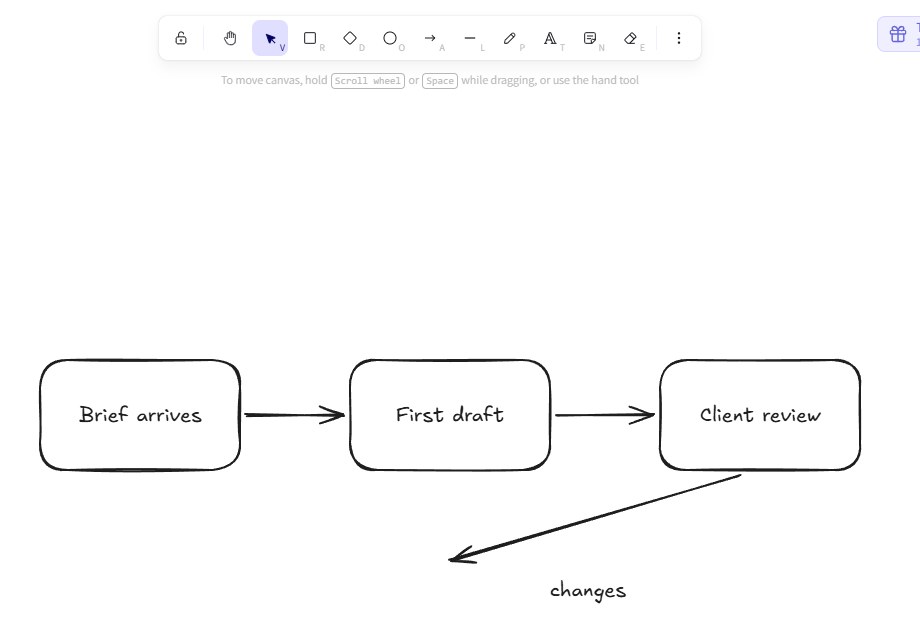
Most work diagrams don't need to be pretty. They need to be quick. Someone asks "how does this process actually work?" in a meeting, and you need three boxes and two arrows on the screen before the conversation moves on. For that job, Excalidraw is the tool I keep coming back to.
Excalidraw is a free whiteboard that runs in your browser. Everything you draw looks hand-sketched, a bit wobbly, like a marker on a whiteboard. I opened it today, drew the flowchart above without signing up for anything, and exported it. Here's what it's like to use.
What it is
You go to excalidraw.com and start drawing. There's no account and no install. You get boxes, circles, diamonds, arrows, lines, a pen, text and an eraser in a toolbar at the top. It's open source under the MIT licence, and your drawing saves automatically in your browser as you work.
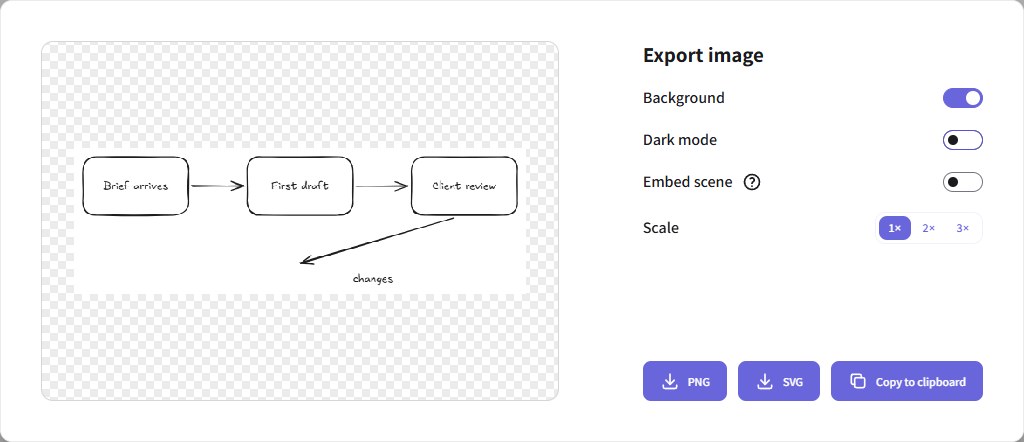
When you're done, you can export a PNG or an SVG, copy the image straight to your clipboard, or save an .excalidraw file to open later. If you want to draw with other people, you can start a live session and share a link, and Excalidraw says those sessions are end-to-end encrypted. There's also a paid version, Excalidraw+, which adds cloud saving, folders, comments and team features, from $6 a month per user according to its pricing page.
What I like
It's fast. Every tool has a one-letter shortcut, shown right under its icon: R for a box, A for an arrow, T for text. After a few minutes you stop reaching for the toolbar. Double-click a box and type, and the text sits inside it.
The sketchy look is the point. When a diagram looks finished, people argue about the colours and the alignment. When it looks like a sketch, they argue about the idea, which is what you wanted. It also means nobody expects you to spend an hour making it neat.
No account, no fuss. I can send someone the link to excalidraw.com and they can draw within seconds. That matters more than any feature when you're mid-meeting.
Your drawing stays on your computer. By default it's saved in your browser, not on someone's server. For a quick sketch of an internal process, that's exactly what I want.
What I don't like
Saved in the browser means easy to lose. The same thing that keeps it private makes it fragile. Clear your browser data, or open Excalidraw on another computer, and your drawing isn't there. If a diagram matters, save it as a file.
It's not for polished work. The hand-drawn style is great in a meeting and wrong on a client proposal or a final report. For those, you'll still need a proper design tool.
Keeping lots of drawings organised costs money. The free version is really one canvas at a time. Folders, cloud saving and sharing with view or edit permissions are in Excalidraw+.
Who should use it
Anyone who explains processes, plans projects or sketches ideas with other people: team leads, designers in early stages, developers drawing how a system fits together, teachers. If you've ever drawn a diagram on paper, taken a photo and sent it to someone, Excalidraw is the better version of that.
It's less useful if you need diagrams that look official, or if you want everything you draw stored and organised for years without thinking about it.
My verdict
For quick diagrams at work, Excalidraw is the best free tool I know. It opens instantly, it's easy to learn, and the sketchy look keeps conversations on the ideas. Just remember it lives in your browser: export anything you want to keep. If your team ends up using it every day, Excalidraw+ is worth a look. For everyone else, the free version is plenty.
We used the free version of Excalidraw in a browser on 1 November 2026 to draw the flowchart and open the export window shown above. Licence, encryption and pricing details are from Excalidraw's own site and code repository on the same day. Screenshots by NVDreamspace.