

A model can only work with what actually reached it. Feed it half a paper, or a page where two columns have been interleaved into nonsense, and it will still produce a confident summary, because fluency does not depend on the input being complete. The quality of the extraction sets the ceiling on the analysis, and almost nobody checks it.
PDF is the default for anything meant to be cited or archived, which is why so much of what you want to analyse arrives in it: journal articles, annual reports, standards documents, government publications and regulatory filings. It is a format designed to look identical on every device, and that design goal is exactly what makes the text awkward to get back out of.
Why the text is hard to get back out
A word processor file stores a document as a structure: headings, paragraphs, lists, in order. A PDF mostly stores instructions for drawing marks at coordinates. The sentence you see is a set of glyphs that happen to sit next to each other.
Everything else is inference. Where a paragraph begins, whether two blocks of text are one column or two, whether a line at the top of the page is a heading or a running header, all of it is reconstructed by whatever is reading the file. Different readers reconstruct differently, which is why the same PDF gives different text in different tools.
The output always arrives, correctly formatted and on the right topic. That is what makes a bad extraction so easy to miss.
The failures worth knowing about
Two column layouts. The most common and the most damaging. A naive read goes across the page rather than down the column, so the first line of the left column is followed by the first line of the right. The result is grammatical nonsense at the sentence level but plausible at a glance, and a model will summarise it without complaint.
Scanned pages. If the PDF is an image of a page, there is no text in it at all. Copying returns nothing, and any tool that appears to return text is running optical character recognition, with the error rate that implies on poor scans.
Running headers and footers. The journal name and page number repeat on every page and get interleaved into the body, so a forty page paper arrives with the same line injected forty times.
Tables. A table is drawn as text at positions plus some lines. Extracted, the relationship between a number and its column heading is usually gone. Numbers survive, meaning does not.
Ligatures and encoding. Some fonts store fi and fl as single glyphs, and subset fonts can map characters to codes that mean nothing outside that file. Text comes out with missing letters or as apparent gibberish. We hit exactly this recently trying to read a PDF's contents, and only a proper parser resolved it.
Silent truncation. A long document gets cut, either by the tool or by the model's input limit. Nothing announces it. The summary simply describes the first half.
Check the input before blaming the prompt
This is the habit that saves the most time, and it takes about a minute.
Before asking anything of a model, look at the text you are about to send. Not the PDF, the extracted text. Read the first paragraph and the last. Count roughly how many words came out and ask whether that is plausible for the document's length. Search for a phrase you know appears near the end.
If the last paragraph is from page nine of a forty page document, you have found your problem, and no amount of instruction rewriting will fix it. Most disappointing output traces back to the input rather than the request, which is the same argument made at more length in our guide on systems thinking for AI workflows.
Getting a cleaner extraction
Our PDF Content Extractor reads the file inside your browser and returns the text with the paragraph structure kept, which handles most of the ordinary cases. The file is never uploaded, which matters when the document is a client report or something under embargo.
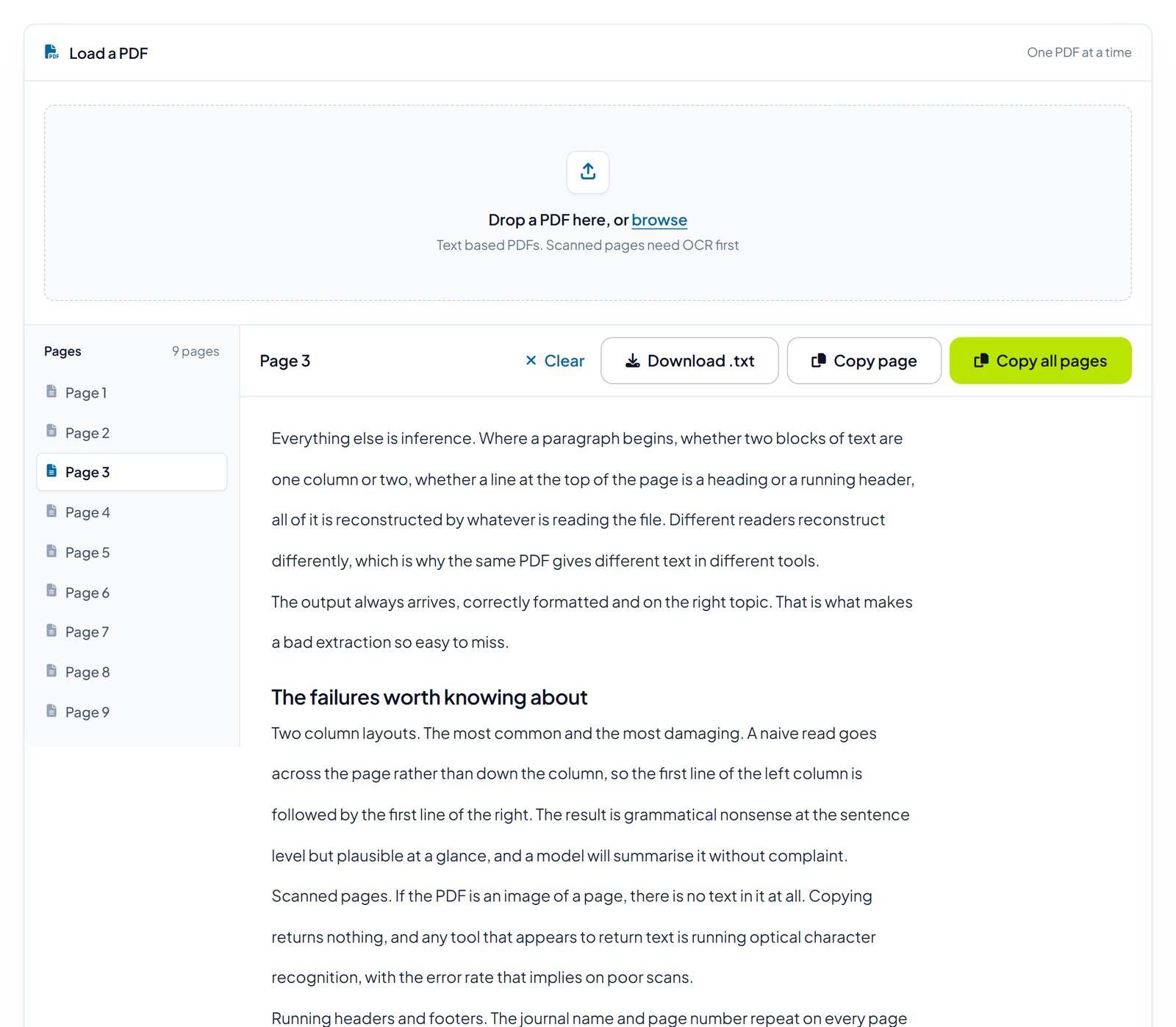
A few things help regardless of tool. Work page by page on anything with an unusual layout, because a per page extraction makes column problems obvious immediately. Handle tables separately rather than hoping they survive. And if a document is scanned, accept that you are doing OCR and check the numbers by hand, since OCR errors on digits are both common and invisible.
Feeding it to a model sensibly
Once you have clean text, a few habits keep the analysis honest.
Say what the document is. A model told it is reading a peer reviewed paper treats it differently from an internal memo, and you are the only one who knows which it is.
Ask for quotes with every claim. "Summarise the methodology, quoting the sentence each point comes from" produces something you can verify against the source in seconds. A claim that cannot be found in the text has just identified itself.
Ask one thing at a time. A single request to summarise, assess quality and suggest follow up work returns three mediocre answers and no way to tell which part failed.
Tell it what to do when the answer is not there. Without that instruction, a gap in the source tends to get filled rather than reported.
Confidentiality
Extraction and analysis are different steps with different exposure, and it is worth being deliberate about which is which.
Extracting text in your browser means the document stays on your machine. Pasting that text into a hosted model does not: it goes to whoever runs the model, under whatever terms you agreed to. For public papers this is irrelevant. For an unpublished manuscript under review, a client report, or anything containing personal data, it is the whole question, and the answer depends on your obligations rather than on the tool.
Start with a clean extraction
Our PDF Content Extractor pulls readable text out of a PDF with the structure intact, working inside your browser so the file is never uploaded. Free, no account, and it will tell you when a document is scanned rather than pretending otherwise.
Try the PDF Content ExtractorWhere to start
Take a PDF you have already analysed and extract it again, then read the last paragraph of the extraction and compare it with the last paragraph of the document. If they do not match, every conclusion you drew from that analysis was drawn from part of the paper.
It is an uncomfortable check the first time and it takes under a minute. After that it becomes the thing you do before asking anything, which is where it belongs.
How this was put together: the failure modes here are ones we have hit while building and using our own extraction tools, including the encoding problem described above. It is not research, and we have quoted no figures on extraction accuracy or how much content sits in PDF form, because any such number depends on the documents in front of you.